

Your screens, updated from the browser
Turn any Android TV into an advertising or information screen. Upload your content, order it into playlists, and the changes reach the TVs in seconds.
Features
From the TV to the panel, with no cables in between
Link the screen once with a code, and from then on everything is managed remotely.
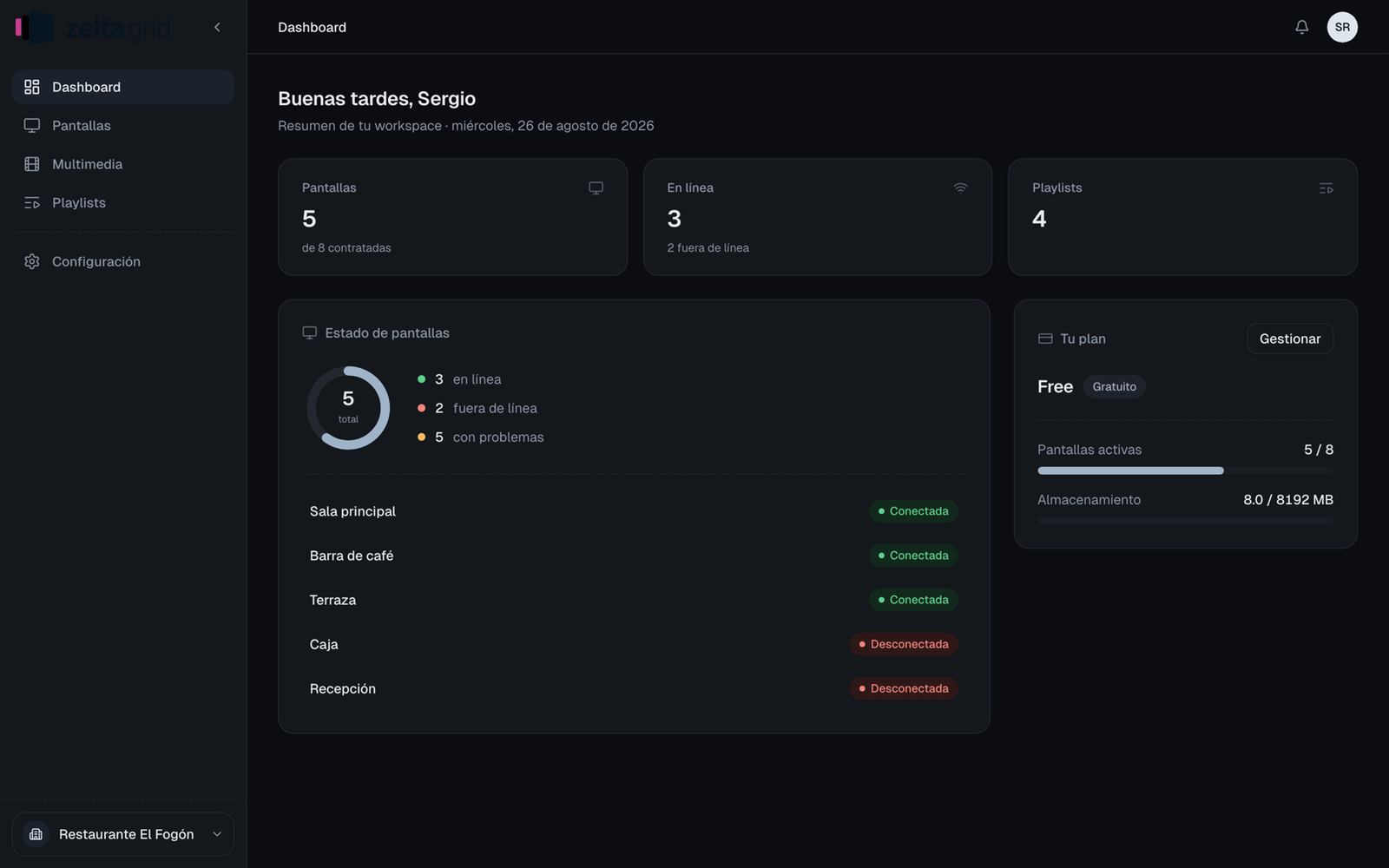
Screens
Register each TV with its name and orientation, and follow its state: online, disconnected, unpaired or sleeping on a schedule.
Code linking
Connect the TV just once with a six-character code or by scanning a QR.
Media
Upload videos and images by dragging them into the panel: MP4, WebM, JPEG, PNG, WebP and GIF.
Playlists
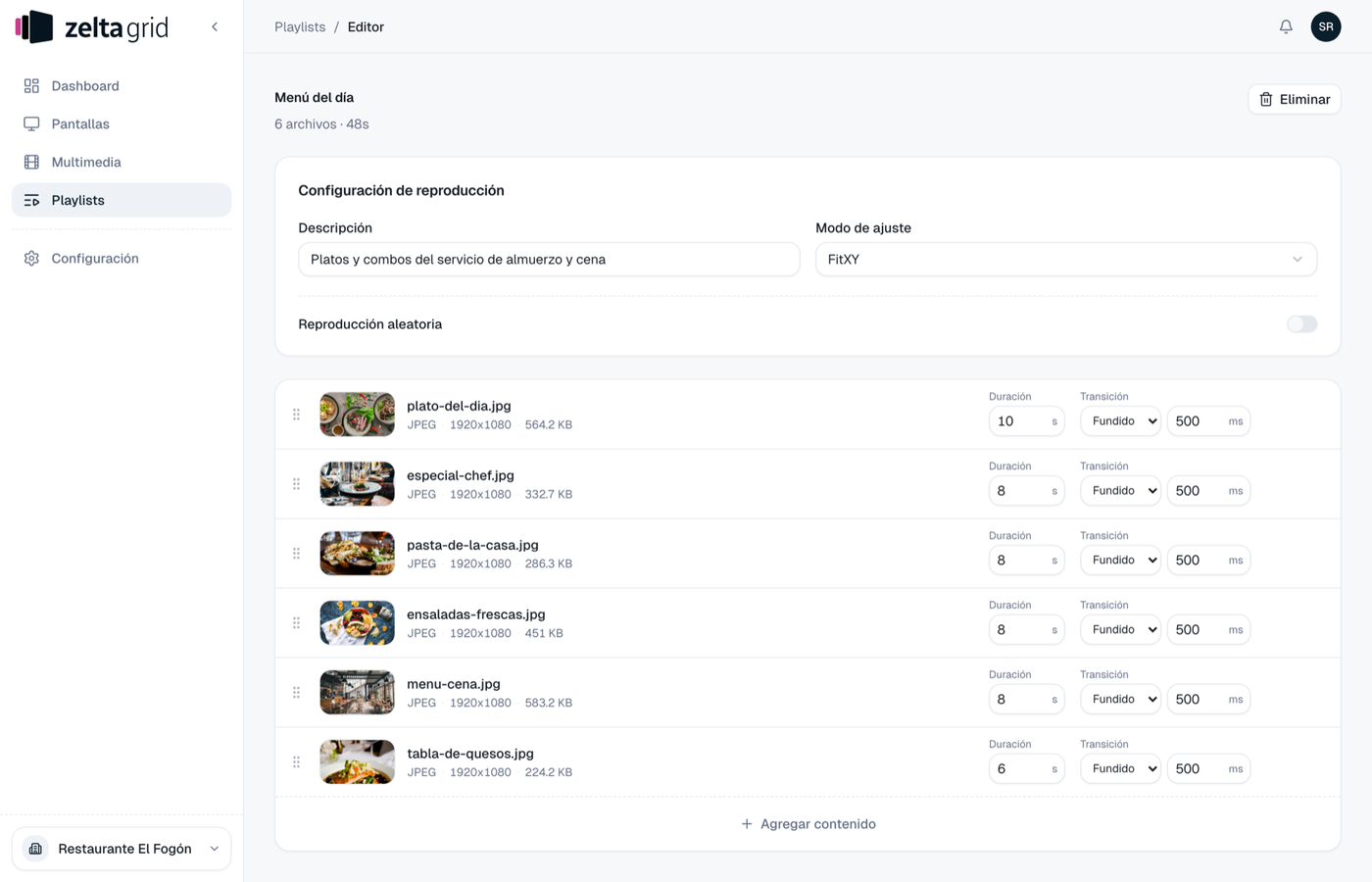
Order the content and choose how many seconds each image lasts, the transition, and whether it runs in order or shuffled.
Scheduling
Rules by day and hour with a weekly calendar per screen, which keep working offline using the TV's own clock.
Diagnostics
Identify a screen, reload its content, restart the app or request its logs, all remotely.
The content
What plays, in the order you decide
A playlist is the list of content that loops on a screen: videos and images, in the order you set.
- Reorder by dragging each row; the change saves itself as soon as you let go
- Images last as long as you tell them, from 1 second; videos play all the way through
- A transition per item: fade, slide, cut or none, from 100 to 5000 ms
- Shuffle reshuffles on every loop, and several screens can share one playlist
Team
Everyone at their own level of access
Members are invited by email with a role, and each workspace keeps its own screens, playlists, files and members: nothing is shared between them.
Owner
- Invites people and renames the workspace
- Changes a member's role or removes them
- Manages the contracted screens and the plan
Administrator
- Manages screens, content and scheduling
- Invites members to the workspace
- No access to the plan or to existing roles
Viewer
- Sees the dashboard, screens and playlists
- Consults content and scheduling
- Read-only: creates and edits nothing
Frequently asked questions
What do I need to get started?
A TV running Android TV 7.0 or later with internet, the Zelta Grid app from Google Play, and a panel account with its workspace. The first screen is free.
How do I link a TV?
Once and only once: open the app on the TV and connect it from the panel with a six-character code, or by scanning the QR shown on screen.
Can I show the same thing on several screens at once?
Yes. Several screens can share one playlist, and on the same network they can be synchronised with Leader and Follower roles so playback stays together. One caveat: do not turn on shuffle for synchronised screens, since each one reshuffles on its own and they stop matching.
What happens if the internet drops?
Scheduling rules keep running on the TV's local clock. When a screen stops reporting, it shows as disconnected in the panel.
Can screens switch off outside opening hours?
Yes. A shutdown rule puts the TV to sleep for the slot you set and it wakes up on its own when the slot ends. Shutdown rules stack: one active rule is enough to switch the screen off.
What happens when two rules overlap?
Content rules compete: the highest priority wins, and between equals the most recent one. If no rule is active, the screen falls back to its default assigned playlist.
Put your screens to work
Tell us what you want to show and we will walk you through Zelta Grid.